


How to install indoor LED display
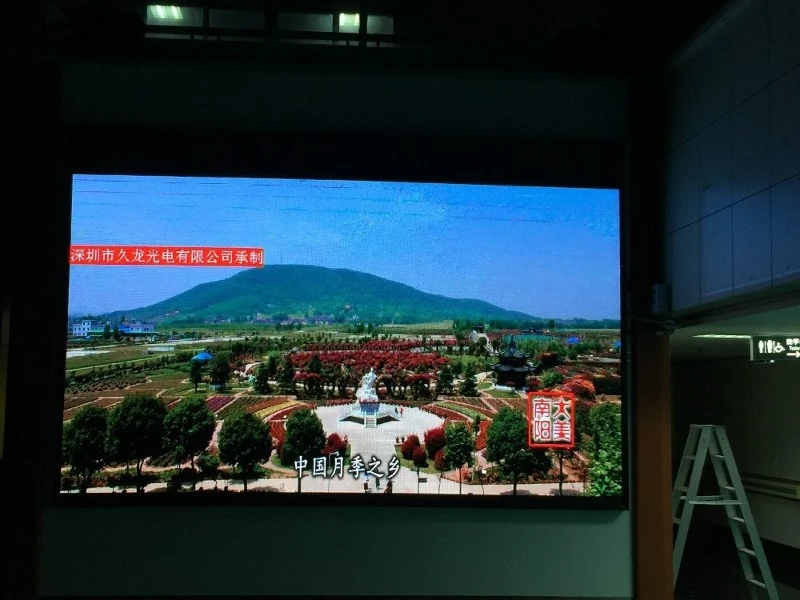
The installation of indoor LED display screen usually requires steel structure frame, LED display module, connection cable, power supply, control card, etc. The installation steps are as follows: steel structure frame construction → installation of power supply and control card → line connection → module splicing → system debugging → acceptance
Taking the indoor full color P2.5 display as an example, the large screen measures 4480mm by 1920mm with a module size of 320mm by 160mm. First calculate the dimensions: 4480/320=14 and 1920/160 = 12. The LED display requires 14 horizontal rows and 12 vertical columns, totaling 180 modules. Adding the 5mm steel frame, the finished LED display (with frame) measures 4490mm by 1930mm.
 The length 320mm
 The width 160mm
Installation steps:
1. Fixed Steel Structure
The indoor E-structure employs a steel framework that eliminates cutting and welding processes, making it ideal for sites where electric welding is prohibited. Compared to traditional screw-and-angle bracket assembly methods, this approach delivers superior flatness with horizontal alignment precision reaching ±0.5mm and diagonal deviation under ±1mm. The system supports multiple relocations and disassemblies, enabling repeated reuse.
The indoor E-structure primarily consists of an outer frame, structural joists, positioning crossbeams, and stabilizing vertical beams. After assembly, it can be securely attached to walls or load-bearing structures. When completing the E-structure, ensure to fasten the stainless steel edge clamps onto the frame edges.
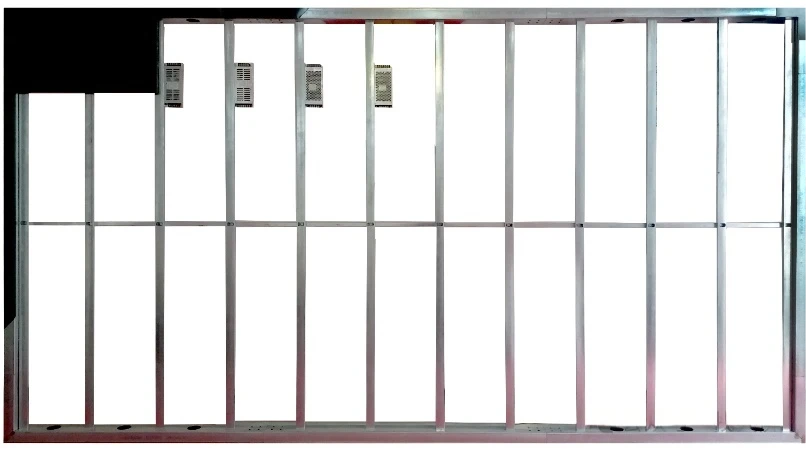
2. Install the power supply, control card and film group
The power supply employs a 1-to-6 configuration, securely mounted on the chassis with three-core wires connected in series. Proper grounding is essential to prevent electrical leakage risks in the metal frame. The 220V terminal should face downward to avoid accidental contact between metal objects and the neutral/grounding wire causing short circuits. For power cables, we recommend using 3-core 2.5mm² cables in groups of up to 16 units. For larger display panels, multi-channel distribution is recommended.
The 14x12 configuration uses 14 receiving cards with 12-pin ports, arranged in a single row of 12 cards per row. The long cable is sequentially inserted into the receiving cards and numbered for easy connection to the module's power strip. Connect the 5V power lines from both the module and control card, then route the receiving cards according to their channel numbers using either a 5+5+4 or 6+6+2 network cable configuration.
After completing the module installation, start by securing the bottom row and central column to ensure proper alignment. This prevents warping during subsequent board placement. Proceed from the bottom center sections to the side panels. Conduct power-on testing immediately when installing these core components. If issues are detected after assembly, disassembly will be more troublesome than troubleshooting post-installation.
 3.debugging
Before starting debugging, ensure the LED display software is properly installed and that the transmission card is connected to the computer. Configure parameters according to the display's actual configuration, including resolution, refresh rate, and scanning mode. After confirming all settings are correct, save them and send them to the display. Power off and restart the system, then play video signals to check for smooth playback without ghosting or flickering. Display text and graphics to verify character clarity and line smoothness. If the display supports multi-window functionality, test switching between different windows and overlay effects.
If you are interesting in LED display screen,pls do not hesitate to contact with us,here we will provide professional technical information and best solution.Looking forward to your early inquiry.Thanks